Showing posts with label task manager. Show all posts

Friday, September 07, 2007

Did any of you get a virus that said :
http://www.fundazone.com/2007/06/how-to-remove-use-internet-explorer-you-dope-i-dnt-hate-mozilla-but-use-ier-or-else-svchostexe-heap41a-virus/


"ORKUT IS BANNED,Orkut is banned you fool`,The administrators didnt write this program guess who did??`r`r MUHAHAHA!!"

"USE INTERNET EXPLORER YOU DOPE,I DNT HATE MOZILLA BUT USE IE `r OR ELSE…”

It is a virus that blocks orkut, youtube and firefox. Don't worry

Here is the cure to remove that virus

http://www.fundazone.com/2007/06/how-to-remove-use-internet-explorer-you-dope-i-dnt-hate-mozilla-but-use-ier-or-else-svchostexe-heap41a-virus/


USE INTERNET EXPLORER YOU DOPE,I DNT HATE MOZILLA BUT USE IE `r OR ELSE…

Another virus which wants to waste my time. I didn’t think hackers would write a virus to attack firefox. Anyway, I used Internet Explorer (IE means Internet Explorer) and typed in www.orkut.com

Yet another message “ORKUT IS BANNED,Orkut is banned you fool`,The administrators didnt write this program guess who did??`r`r MUHAHAHA!!

What about www.youtube.com ? That is banned too !!!

It’s just a worm, a virus or a trojan or whatever malicious hacker or craker program or script it is. Wrtitten is VBScript programming labguage by a crazy rascal who deserves to rot in his/her grave for disabling Firefox of all softwares !

How to remove the Orkut and Firefox and Youtube banning virus ?

Simple.

  • First press Control-Alt-Delete (Ctrl-Alt-Del is called the three finger exercise in Windows)
  • There Click Processes , then click User Name to arrange according to users.
  • Now, look for svchost.exe run by User name “user” or “admin” or “your computer name” There will be two of them. Right click and end both the svchost.exe processes where the User Name is NOT “SYSTEM” or “NETWORK SERVICE” or “LOCAL SERVICE” Only where the user name is “USER” or “ADMIN” or “ADMINISTRATOR” or “your name”
  • Next Click Start > Run > Type cmd in the box and press enter (Just get the Command Prompt of DOS - C:\windows\system32\cmd.exe)
  • There in the black Command Line, type “ cd \ ” and press Enter
  • It has to change to C:\>
  • Next, type attrib -s -r -h heap41a /s /d and press Enter
  • Then Open C: on My computer and delete the folder heap41a ie C:\heap41a
  • Then remove C:\heap41a\svchost.exe shortcut from C:\Documents and Settings\USER\Start Menu\Programs\Startup (Or Start > All Programs >Startup)
  • That’s all
  • Then clean the pen drive

Sunday, May 06, 2007

svchost.exe turns mad due to windows xp autoupdate

Did you have problems with your Windows XP computer becoming very very slow ? If you pressed Alt-Ctrl-Del (the three finger exercise so common to all windows users), and looked at the running processes in Task Manager, you might see the problem.

Sometimes there might be a virus (I'll write about finding viruses here (http://johndasfundas.blogspot.com or at http://www.fundazone.com (Computer Virus hunting) soon)

But even Windows XP AutoUpdate thingie can do things even a virus won't do !

If that's the problem, here's the Windows XP autoupdate madness fix.

First, download Process Explorer from here:
http://www.microsoft.com/technet/sysinternals/utilities/ProcessExplorer.mspx

That program will work better than the Task manager and help you find what things are running. A lot of the time this is caused by a virus on the system.

For a quick fix attempt, you might want to try running an sfc /purgecache followed by an sfc /scannow from the run button in Start menu. Though you may need your Windows disk handy, and OEM restore disks don't generally work (although Dell ones usually do, and a few others)

Here's what some people said :
About forty instances of the process began running, sucking up all of my CPU. For some reason they were kicked up to a high priority as well, although the original was not.
I've been haunted by the same problem before. After doing some research, i found out that the culprit is Windows Update. The proof is when i disable Automatic Update, svchost.exe will stop being frenzy. However, when i turn on Automatic Updates again, the problem went on. Somehow, i just couldn't understand why Windows XP establishes a connection with Windows Update server on every startup.


Anyway, after so long, Microsoft has finally released a hotfix for this problem. You can download the hotfix here:

http://support.microsoft.com/kb/916089/


Another problem :

Windows Updates gave an update for the graphics card (NVIDA driver update).

This update causes the following problem:

No problems till reaching the black windows loading screen. Instead of the welcome screen, u get a great little error where the monitor stopped working, black screen and gave an error that reported an improper frequency range, malformed display configuration, or just shut off completely.

Booting in safe mode works fine. You cant boot normal at all! Perform a system restore to just before that update, after that update again and make sure you uncheck this update and click not to notify about it again (you have to custom install rather then express)


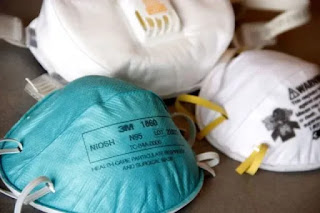
How to get N95 Masks in India - कैसे पाएं मास्क? Yellow, White, Blue or Black ?

कैसे पाएं मास्क? पीला, सफेद, नीला या काला? There are many colors of masks available in India of different colors. What is the difference ? W...