Showing posts with label trojan. Show all posts

Wednesday, January 23, 2008

Hardware : USB antivirus

Do you get some virus anywhere you take your USB drive ?

Did my critical data in flash drive get erased by a virus ?

How do you prevent viruses and trojans from a computer and from USB drives ?

Here is the USB solution - USB antivirus.

It is not very useful for me - I don't need hardware to remove viruses. I use software - I'll tell you how in a future article on www.fundazone.com or johndasfundas.blogspot.com

But for those who can afford it and need to keep their data safe from viruses, trojans and spyware, this may be useful.

If you use your pen drive in many different computers it is safe to have the latest antivirus updated definitions. Still some new viruses may escape.

This USB pen drive antivirus removes viruses from your computer

Thursday, September 13, 2007

Fundas on removing “Orkut is banned” svchost.exe heap41a virus

WORM

Did you get this error message when you try to open orkut ???

It is a virus that spreads through pen drives (or flash or thumb drives) or USB digital cameras or iPods or MP3 players or mobile phones and any mass storage device !!!

How to remove this virus ???

Very Simple !

How to remove “Use Internet Explorer you dope, I dnt hate Mozilla but use IE`r OR ELSE…” svchost.exe heap41a virus


How to remove the Orkut and Firefox and Youtube banning virus ?

Simple.

  • First press Control-Alt-Delete (Ctrl-Alt-Del is called the three finger exercise in Windows)
  • There Click Processes , then click User Name to arrange according to users.
  • Now, look for svchost.exe run by User name “user” or “admin” or “your computer name” There will be two of them. Right click and end both the svchost.exe processes where the User Name is NOT “SYSTEM” or “NETWORK SERVICE” or “LOCAL SERVICE” Only where the user name is “USER” or “ADMIN” or “ADMINISTRATOR” or “your name”
  • Next Click Start > Run > Type cmd in the box and press enter (Just get the Command Prompt of DOS - C:\windows\system32\cmd.exe)
  • There in the black Command Line, type “ cd \ ” and press Enter
  • It has to change to C:\>
  • Next, type attrib -s -r -h heap41a /s /d and press Enter
  • Then Open C: on My computer and delete the folder heap41a ie C:\heap41a
  • Then remove C:\heap41a\svchost.exe shortcut from C:\Documents and Settings\USER\Start Menu\Programs\Startup (Or Start > All Programs >Startup)
  • That’s all
  • Then clean the pen drive
More intstructions are available here :

http://www.fundazone.com/2007/06/how-to-remove-use-internet-explorer-you-dope-i-dnt-hate-mozilla-but-use-ier-or-else-svchostexe-heap41a-virus/

Sunday, April 15, 2007

PFW.exe in flash drive pfw.pif and autorun.inf - virus

PFW.pif was a hidden file I first saw in a pen drive (also variously called flash drive to thumb drive to thumbnail drive)

Anyway the hidden file is labelled as an MSDOS shortcut but it is a trojan or worm or virus or whatever.

How does PFW .pif spread ?
It has an autorun.inf file also in the root folder of the pen drive.

How do you remove it ...

If you have AVG free edition 7.5 installed and have the latest virus definitions, it is more than enough.

I'm not sure about Norton but if it is not updated, I guarantee that it will NOT catch this virus.

Manually remove the virus if you can !
Follow these steps
  1. Press Ctrl-Alt-Del . Task Manager opens. Choose Processes. Select PFW.exe . And click End Task
  2. Right click and Open Pen Drive (Autoplay will run the virus - Don't double click)
  3. Delete Pfw.pif and autorun.inf from the pen drive
  4. In My Computer, click Tools> Folder options> View - Show hidden and system files
  5. Delete C:\windows\system32\pfw.exe (it's a hidden file)
  6. Registry (Type regedit in Start >Run) Go to > HKCU>Sofrware>Microsoft>Windows>Current version>Explorer>Mountpoints2>(crazy names)
    1. Make backup of registry (right click Mount Points 2 and export file)
    2. Delete the names in mountpionts2 which are just a string of letters and numbers (not all of them are harmful, but this is easier) Don't delete C, D,E etc
    3. All finished. pfw.pif / pfw.exe is gone from your computer. Delete the virus from all the pen drives.
    4. Or to be careful , delete only the subkeys Shell which have Autoplay as default value (I'll explain this in detail later)
    5. http://www.johndasfundas.blogspot.com

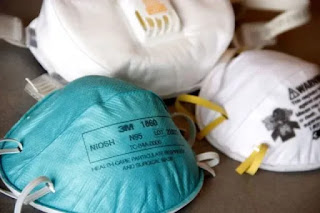
How to get N95 Masks in India - कैसे पाएं मास्क? Yellow, White, Blue or Black ?

कैसे पाएं मास्क? पीला, सफेद, नीला या काला? There are many colors of masks available in India of different colors. What is the difference ? W...