Showing posts with label Windows. Show all posts

Thursday, June 04, 2015

Chatting with extra colon n http://: crashes Skype on Windows, Android, iOS - Skype has a colon cancer bug

Skype HTTP://: double colon bug

Skype is a successful VOIP messenger and phone calling software which was bought by microsoft and integrated into its hotmail and live accounts.

On June 3rd 2015, Skype users found a Critical bug in Skype where simply typing " http://: "
(Note the second colon after the slashes), will cause Skype to crash on Windows, Android and iOS(iPhone, iPad, Apple Watch).


It DOES NOT affect Mac OsX users and Windows Metro Skype app(Windows 8 and 10).
So these users can easily send such a message to any Skype user on Windows (XP, Vista, 7, etc), Android or iOS to crash their Skype.

They won't be able to open their Skype chats even after reinstalling Skype because the saved chats are loaded from the server.


How to fix the Skype double colon bug ?


  • If you able to open Skype, delete that converstion which includes the "http://:"

  • OR

  • If you have a Mac or Windows 8 or Windows 10 or Blackberry or Windows Phone or Linux or any Jabber client, login from there and delete the offending message.

  • OR


History clearing on Skype

  • Try clearing your history and setting "keep history for" to "no history". This setting can be found under tools > options > IM & SMS > show advanced options > keep history for as shown above.


This should fix Skype's colon cancer till microsoft issues an update.

Update : Skype patched the bug that caused its colon problems

Skype today has rolled out a fix for the bug that has been causing its client software applications to repeatedly crash if users received a particular string of characters as a message. If someone messaged you with the characters “http://” (without the quotes), Skype would crash and then not allow you to sign in again upon re-opening the application.
To Microsoft’s credit, the Skype team quickly addressed the situation. Initially, Skype began to filter out the characters in messages users were sending across some of its platforms. And today, the company has released an updated version of its client software for all impacted Skype platforms.

That's pretty quick and well handled Microsoft.
Much better than the way Apple handled their "effective power arabic" bug.

Monday, June 01, 2015

Windows 10 is coming to all on July 29th for FREE


Microsoft has announced that Windows 10 to be released to the public on July 29th.
The technical preview had been available for some time, but that was the version for developers and early adopters to use and find the bugs to fix.
Windows 10 is coming to town

Windows 10 promises to be a good version of windows in keeping with the Microsoft tradition of releasing good Windows every alternate edition.

Why is there no Windows 9 ? Did I miss Windows 9 ?

There is NO Windows 9. 
Windows 7 8(ate)  9

Because 7 8 9.
Windows 7 ate(eight) nine.

If you really want to know. Many earlier software and websites used to check for the older Windows 95, Windows 98 and Windows 98SE by searching whether there was a "Windows 9" in the name, because it was easier to do and saved a tiny bit of coding time. They never expected that Microsoft would change the naming pattern of Windows from Windows 7 onwards.

Thus, Microsoft announced Windows 9 was not the name of the next OS they are relasing. They are going directly to the name "Windows 10" after "Windows 8".

Here is a video explaining some highlight features of Windows 10.


Once again, Windows 10 is a free upgrade, and some people already have received notifications in their Windows 7 status bar asking if they want to reserve an automatic upgrade to Windows 10 hen it releases. No need to give your email address though. Just reserve it if you are feeling adventerous. Or wait for a few days for them to iron out the bugs.
Yes, that is Microsoft asking you, not a scammer.
Is Windows 10 free for pirated and non-genuine users ?

If you have a pirated or non-genuine version of Windows 7 or Windows 8 already, it can upgrade to Windows 10. But, it will still remain non-genuine, with an option to buy the "FREE" Windows 10.

Thursday, November 05, 2009

How to fix "NTLDR missing" error when Windows is starting up (booting)


How to fix "NTLDR missing" error when Windows is starting up (booting)


Using the Windows Recovery Console

The Windows 2000 and Windows XP CDs supplied by Microsoft has a tool called the Recovery Console which can be used to repair errors that prevent Windows XP from starting using the command line. OEM versions of Windows XP, including computers that were supplied with Windows XP preinstalled, may not have this utility.

  • Insert the Windows CD and start the computer.
  • When the Welcome to Setup screen appears, press R.
  • Type a number corresponding to the Windows installation you wish to repair (usually 1) and press Enter.
  • When prompted, type the administrator password and press Enter.
  • From the command prompt, copy NTLDR and NTDETECT.COM from the i386 folder of the CD to the root folder of the hard drive. In the example commands given below, C: is the hard drive and D: is the CD-ROM drive. You will need to change the drive letters if appropriate:
    COPY D:\I386\NTLDR C:\
    COPY D:\I386\NTDETECT.COM C:\
  • Remove the Windows XP CD from the drive and restart the computer.

Monday, October 26, 2009

Windows 7 in India - Prices in rupees

Windows 7 has come out and its definitely better than Win XP (which was better than Vista).

Here lets have a look at the prices in India.


What you pay and what you get
* Windows 7 Starter (via OEM only): Up to three concurrent applications, ability to join a Home Group, improved taskbar and JumpLists.

* Windows 7 Home Basic: For Rs 5,899, users get unlimited applications, live thumbnail previews that enhance visual experience and advanced networking support.

* Windows 7 Home Premium: For Rs 6,799, you get Aero Glass and advanced windows navigation, improved media format support, enhanced Windows Media Centre and media streaming, and also multi-touch and improved handwriting recognition.

* Windows 7 Professional: For Rs 11,199, users can join a managed network with the Domain Join feature, protect data with advanced network backup and encrypting file system and print to the right printer at home or facilitate intuitive printing with Location Aware Printing option.

* Windows 7 Ultimate (worldwide): For Rs 11,799, it is meant for advanced users who want to protect data using the BitLocker feature on internal and external drives, deploy DirectAccess for seamless connectivity over corporate networks based on Windows Server 2008 R2.

WHAT’S NEW WITH WINDOWS 7
# In Win 7, when you hover over a taskbar icon, you get actual previews that are placed side by side. In simple words, it offers the ability to snap a window to half your screen size simply by dragging it to the left or right of the screen
# Has a cool new feature with which users can drag windows to each side of the screen and they automatically size themselves so that each takes up half the screen
# User Account Control in Win 7 gives users easy control options without complicating the process like Windows Vista
# Win 7 replaces the taskbar context menu with a useful list of frequently used documents and tasks, and even allows you to pin documents or shortcuts to the menu
# Windows Explorer gets a facelift in Win 7. Some minor changes like while browsing between various tabs, you will now see a sliding windows effect, a nice visual effect
# Once you have installed the OS, the first thing you will notice is the faster shutdown and boot. Even the time taken by the machine to enter and come out of the sleep mode is less than Vista and XP
# For those who love to open an array of windows while working, the new Aero Peek feature in Win 7 lets you preview individual windows from the grouped taskbar applications, and even close documents from the thumbnails themselves. Aero Peek becomes a handy tool for users who like to multi-task


Haunted by sluggish performance issues, from playing games to complicated disk access programmes to poor networking features, Vista was undoubtedly Microsoft’s biggest failure. Win 7, by contrast, will run fine on most of the existing netbooks as well as older PCs.

Win 7 delivers a completely revamped user interface and some brand-new features designed to make organising and sharing your files easier. Simply put, the user gets much more than new wallpaper and a different colour taskbar.

The taskbar, in addition to showing the applications being used by the user, also hosts shortcuts to the most commonly used applications (say Word or Media Player). When the mouse pointer is moved over the taskbar shortcuts, the user can preview the application.

Unlike Vista, the re-designed user interface of Win 7 gives the user intuitive shortcuts like ability to maximise a window by dragging it to the top of the screen, minimise it by dragging it to the bottom, maximise to half the screen by dragging it to either edge, or (our favorite) minimising all opened windows by shaking the one you want to focus on.


What type of PCs and laptopscan run Windows 7?
The basic requirements of a PC to run Win 7 are a 1 GHz processor, minimum 1GB of RAM and 16GB hard drive space. In simple words, any hardware that worked with Vista will work for Win 7 too.

Since Microsoft is targeting future generation of casual users who use computers for mainly emails, office documents, Internet and video among other things, Win 7 could be an ideal choice for future PCs.

HP India has started retailing Win 7-preloaded PCs at between Rs 27,990 and Rs 90,000, while Acer PCs with Win 7 OS will be priced at between Rs 15,000 and Rs 35,000. Acer notebooks with the new OS will be priced at Rs 21,000-70,000.

Saturday, August 08, 2009

BOOTMGR is missing, Press Ctrl+Alt+Del to restart

Find yourself receiving "BOOTMGR is missing, Press Ctrl+Alt+Del to restart" message? Don't stress! Its easier to fix than you think. Here's how:

SOLUTION 1

- Get your Vista installation DVD and pop it into your drive.
- Then restart your computer.
- Set your computer to boot from DVD or CD in your BIOS.

Vista will ask you for language and keyboard layout information, after which you will be asked if you want to re-install Vista or repair your existing installation.
Select Repair. After which Vista's System Recovery Tool will start.


Select Startup Repair and let Vista do its thing! That really is all there is to it!


If that doesn't work try this:


SOLUTION 2

If the previous method does not resolve the problem, you can rebuild the BCD store by using the Bootrec.exe tool in the Windows Recovery Environment. To do this, follow these steps:

- Get your Vista installation DVD and pop it into your drive.
- Then restart your computer.
- Press a key when you are prompted.
- Select a language, a time, a currency, and a keyboard or another input method, and then clickNext
- Click Repair your computer
- Click the operating system that you want to repair, and then click Next
- In the System Recovery Options dialog box, click Command Prompt
- Type bootrec /rebuildbcd and then press ENTER

• If Bootrec runs successfully, it will present you with the installation path of a Windows directory. To add the entry to the BCD store, type Yes . A confirmation message appears that indicates the entry was added successfully.

• If Bootrec cannot locate any missing Windows installations, you must remove the BCD store, and then you must re-create it. To do this, type the following commands in the order shown below: (Remember to press ENTER after each command)

bcdedit /export C:\BCD_Backup

ren c:\boot\bcd bcd.old

bootrec /rebuildbcd


- Restart the computer.

Sunday, May 06, 2007

Microsoft buying Yahoo - to fight Google ?

This same rumour came a year ago - that Microsoft would buy Yahoo !

But what is different this time ? This time, Google is all powerful. Itcannot be defeated by either Yahoo or Microsoft alone.

Why some people belive Google is God. There even lots of "Church of Googlism" or "Church of Google" around. Google worshipers pray there to their deity Google whom they believe wil take over the whole world soon. And judgemnet day will be about PageRanks (Pigeon Rank ;) ) and GoogleBots will spider all the Black hat SEo sins ... and crazy stuff like that.


Anyway back to the news,

A superhero teamup of Yahoo and Microsoft might be imminent for their survival as neither company has made gains against Google's search and advertising dominance.

The Wall Street Journal said last year's talks have become this year's discussions. Both Yahoo and Microsoft have been juggling and refitting and remodelling and windows dressing (live.com ???) their online advertising products, but have not been able to eat into Google's pie.

"Short of a wholesale merger, Microsoft could spin its online group into a separately-run Yahoo, in return for a Yahoo stake" - Wall Street Journal

svchost.exe turns mad due to windows xp autoupdate

Did you have problems with your Windows XP computer becoming very very slow ? If you pressed Alt-Ctrl-Del (the three finger exercise so common to all windows users), and looked at the running processes in Task Manager, you might see the problem.

Sometimes there might be a virus (I'll write about finding viruses here (http://johndasfundas.blogspot.com or at http://www.fundazone.com (Computer Virus hunting) soon)

But even Windows XP AutoUpdate thingie can do things even a virus won't do !

If that's the problem, here's the Windows XP autoupdate madness fix.

First, download Process Explorer from here:
http://www.microsoft.com/technet/sysinternals/utilities/ProcessExplorer.mspx

That program will work better than the Task manager and help you find what things are running. A lot of the time this is caused by a virus on the system.

For a quick fix attempt, you might want to try running an sfc /purgecache followed by an sfc /scannow from the run button in Start menu. Though you may need your Windows disk handy, and OEM restore disks don't generally work (although Dell ones usually do, and a few others)

Here's what some people said :
About forty instances of the process began running, sucking up all of my CPU. For some reason they were kicked up to a high priority as well, although the original was not.
I've been haunted by the same problem before. After doing some research, i found out that the culprit is Windows Update. The proof is when i disable Automatic Update, svchost.exe will stop being frenzy. However, when i turn on Automatic Updates again, the problem went on. Somehow, i just couldn't understand why Windows XP establishes a connection with Windows Update server on every startup.


Anyway, after so long, Microsoft has finally released a hotfix for this problem. You can download the hotfix here:

http://support.microsoft.com/kb/916089/


Another problem :

Windows Updates gave an update for the graphics card (NVIDA driver update).

This update causes the following problem:

No problems till reaching the black windows loading screen. Instead of the welcome screen, u get a great little error where the monitor stopped working, black screen and gave an error that reported an improper frequency range, malformed display configuration, or just shut off completely.

Booting in safe mode works fine. You cant boot normal at all! Perform a system restore to just before that update, after that update again and make sure you uncheck this update and click not to notify about it again (you have to custom install rather then express)


Friday, April 13, 2007

WordMacro/Friday Friday the 13th virus in Microsoft Word with password

NAME : Friday
ORIGIN: Germany

WordMacro/Friday consists of several macros, all of which start with the text 'NOP'. However, the virus is not related to the WordMacro/NOP virus.

On every Friday the 13th the virus renames IO.SYS to I_O.SYS, making the machine unbootable if the operating system is Windows 3.x or Windows 95. On Friday the 13th the virus also encrypts all saved files with the password "Friday13".

In addition, the virus exits Windows between 11:00 and 11:59 on Saturdays, encrypts documents with a password equal to the last three letters of the document name on Saturdays, protect the document with a password equal to the first 4 characters of the document name on Thursdays before 11 or on Wednesdays, exits Windows on Wednesdays after 23:00, etc.

WordMacro/Friday was reported to be in the wild in Germany in January 1997.

Monday, April 09, 2007

Windows Vista software compatibilty - XP programs don't run in Vista

If u switched to Windows Vista already, You'll see that many software which worked perfectly in Windows Xp earlier, now doesn't work with Windows Vista.

It says that there is a compatibility issue and cannot run the software.


Part of it can be corrected like this :
http://www.fundazone.com
  1. Right click the program
  2. Choose the tab Compatibility
  3. Select Run in compatibility mode for XP (service pack 2)
  4. Click Apply

All done !


Any other ideas

Windows Vista driver problem - Sonic Solutions in Dell laptop

If u have a Dell laptop with Windows Vista, you'll find that many software for Windows XP don't run on Vista.


For example, a driver error comes saying a certain Sonic Solutions driver has been stopped because it's not supported.

What is this driver ? It's a driver for Roxio CD creator which comes free with a Dell PC or a Dell PC Desktop too I guess.

Well, here's the soultion :
Just download and install this software from Roxio's website :
http://docs.roxio.com/patches/d2d3290.exe
Don't forget to keep checking this site (http://johndasfundas.blogspot.com)

Saturday, March 31, 2007

Google OS ? Yahoo browser ? Operating system - just bots really ?


Did the Google operating system finally come into being ? Was it made to compete with the Microsoft's Vista OS ? Did Yahoo also make an operating system ? And browsers !!! (Ok - browsers I can believe)

Making a complete operating system to compete with Windows XP and even Vista ( and who knows - even with Mac Os X and Linux) was one of the rumours going around the Google gossip stream. And this image from a visitor statistics tool suddenly made me think they were already out. In the frenzied moment of panic (?), I realized that these were just the bots- Googlebot and Yahoobot (Inktomi bot, I guess)

So, is the Google OS really out there ? Is it coming ? Well, I guess we'll all be waiting ...

Google is taking over the Earth and we know it. We know that the Google OS will come. The Google browser first, then the Yahoo browser, finally the OS.
Hey, is Google gonna buy Firefox ? That'll make it a Google browser , would it not ?

We'll just wait and see ....

Wednesday, March 28, 2007

Hasta la Vista Baby ! Windows Vista - Big brother !

The NSA (the USA National Security Agency) worked with MicroSoft to build Vista


if you think they didn't add some kind of privacy- destroying, email tracking, watching behind your shoulder and tracking your every move on Earth kind of stuff to it to keep tabs on you then you're definitely INSANE. (I guess they don't trtack insane people anyway)

There is an option in the browser ( Internet Explorer , what else- use Firefox - just download from this page itself and install - try Mozilla Firefox - U'll like it) for Advanced AdBlock etc, which runs through MS severs.

What does this mean?

Well....

A) When you visit a webpage it has to be allowed to appear by MicroSoft, so you're double redirecting for EVERY web page you visit.

B) MS knows EXACTLY which sites you're going to at all times.


PLUS

The indexing system which was supposed to be one of the major assets to vista runs CONSTANTLY rather than just indexing once and adding index values as they become a part of your system.

This is a MAJOR reason why vista slows down and hogs an INSANE (they track normal people using insane software) amount of system resources.


Do your research. Google NSA Vista, VISTA indexing, VISTA holes.


Like I said, it's all up to personal taste but thank you very much I will stick with my streamlined XP SP2.


P.S.

Good luck getting all of your drivers/devices/programs to work on vista.

P.S.

This is not me speaking (except the crazy comments) - just something interesting I found

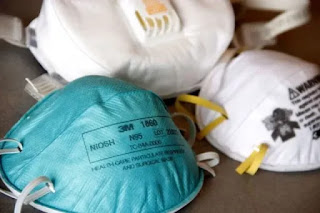
How to get N95 Masks in India - कैसे पाएं मास्क? Yellow, White, Blue or Black ?

कैसे पाएं मास्क? पीला, सफेद, नीला या काला? There are many colors of masks available in India of different colors. What is the difference ? W...