Wednesday, June 03, 2015
Whatsapp tips and tricks for whatsapp on computer, backup messages, blue ticks and other hacks
Tuesday, August 31, 2010
Insert Special Characters like heart and music symbol in chat and facebook

To obtain an ALT Character:
- Make certain that the Num Lock key has been pressed to activate the numeric key section of the keyboard.
- Depress the Alt key.
- While the Alt key is depressed, type the proper sequence of numbers (on the numeric keypad) of the ALT code from the table above.
- Release the Alt key, and the character will appear.
- On a laptop computer, there usually is no numeric keypad. So, instead, depress the Fn (function) key, then the Alt key, then the numerical code sequence. The numbers are on the fronts of certain keyboard keys: M=0, J=1, K=2, L=3, U=4, I=5, O=6, 7=7, 8=8, and 9=9.
The Story of Facebook
Facebook: The Missing Manual 3e (Missing Manuals)
Shapes and Shading
| Character | Name of Character | Alt Code | Character Code | Name Code | Number Code | Shortcut Key | Accent Code |
| ▀ | Upper half block | Alt + 223 Alt + 9600 | 2580 | ▀ | |||
| ▄ | Lower half block | Alt + 220 Alt + 9604 | 2584 | ▄ | |||
| █ | Full block | Alt + 219 Alt + 9608 | 2588 | █ | |||
| ▌ | Left half block | Alt + 221 Alt + 9612 | 258C | ▌ | |||
| ▐ | Right half block | Alt + 222 Alt + 9616 | 2590 | ▐ | |||
| ░ | Light shade | Alt + 176 Alt + 9617 | 2591 | ░ | |||
| ▒ | Medium shade | Alt + 177 Alt + 9618 | 2592 | ▒ | |||
| ▓ | Dark shade | Alt + 178 Alt + 9619 | 2593 | ▓ | |||
| ■ | Black square | Alt + 254 Alt + 9632 | 25A0 | ■ | |||
| □ | White square | Alt + 9633 | 25A1 | □ | |||
| ▪ | Black small square | Alt + 9642 | 25AA | ▪ | |||
| ▫ | White small square | Alt + 9643 | 25AB | ▫ | |||
| ▬ | Black rectangle | Alt + 22 Alt + 9644 | 25AC | ▬ | |||
| ▲ | Black up-pointing triangle | Alt + 30 Alt + 9650 | 25B2 | ▲ | |||
| ► | Black right-pointing pointer | Alt + 16 Alt + 9658 | 25BA | ► | |||
| ▼ | Black down-pointing triangle | Alt + 31 Alt + 9660 | 25BC | ▼ | |||
| ◄ | Black left-pointing pointer | Alt + 17 Alt + 9668 | 25C4 | ◄ | |||
| ◊ | Lozenge | Alt + 9674 | 25CA | ◊ | |||
| ○ | White circle | Alt + 9 Alt + 9675 | 25CB | ○ | |||
| ● | Black circle | Alt + 9679 | 25CF | ● | |||
| ◘ | Inverse bullet | Alt + 8 Alt + 9688 | 25D8 | ◘ | |||
| ◙ | Inverse white circle | Alt + 10 Alt + 9689 | 25D9 | ◙ | |||
| ◦ | White bullet | Alt + 9702 | 25E6 | ◦ |
Dingbats
| Character | Name of Character | Alt Code | Character Code | Name Code | Number Code | Shortcut Key | Accent Code |
| ☺ | White smiling face | Alt + 1 Alt + 9786 | 263A | ☺ | |||
| ☻ | Black smiling face | Alt + 2 Alt + 214 Alt + 9787 | 263B | ☻ | |||
| ☼ | White sun with rays | Alt + 15 Alt + 9788 | 263C | ☼ | |||
| ♀ | Female sign | Alt + 12 Alt + 9792 | 2640 | ♀ | |||
| ♂ | Male sign | Alt + 11 Alt + 9794 | 2642 | ♂ | |||
| ♠ | Spade suit | Alt + 6 Alt + 9824 | 2660 | ♠ | ♠ | ||
| ♣ | Club suit | Alt + 5 Alt + 9827 | 2663 | ♣ | ♣ | ||
| ♥ | Heart suit | Alt + 3 Alt + 9829 | 2665 | ♥ | ♥ | ||
| ♦ | Diamond suit | Alt + 4 Alt + 9830 | 2666 | ♦ | ♦ | ||
| ♪ | Eighth note | Alt + 13 Alt + 9834 | 266A | ♪ | |||
| ♫ | Beamed eighth notes | Alt + 14 Alt + 9835 | 266B | ♫ |
Tuesday, April 24, 2007
Earn money by reading free SMS
This website lets you earn money by just reading SMS !!!
Think of it. Just read SMS coming from
http://www.mginger.com/index.jsp?inviteId=7841
and pay your mobile bills using that !
Cool huh ?
free SMS. Free offers and much more.
Just join under my affiliate id ok. Please
Free SMS money making scheme
There is also a paid to read email scheme with the same guys.
Check that out too.
http://www.mginger.com/index.jsp?inviteId=7841
Free SMS money and cash offer
And tell me if it works.
Saturday, April 07, 2007
Run messenger without installing - Yahoo, MSN, Googletalk,
Well, here's how to do it ....
Use messenger without installing - meebo , iloveIM...
Though most of these - Yahoo , MSN, etc have web messenger , they might require some plugin like flash or some active X plugin or sometimes JAVA to work.
And these might not be installed in the computer - especially if it's a public computer in the guest account or a library computer or an office computer.
Anyway - here are the ways to access Yahoo messenger or MSN messenger without installing
Use messenger without installing - meebo , iloveIM...
Sunday, March 11, 2007
Use messenger without installing - meebo , iloveIM and the like
Oftentimes, you'll have to use a computer which does not have your preferred messenger is not installed. What should you do ? Downloading and installing the messenger may not work out if you are not logged in as administrator.
One option is to use that messenger's web service. I know that Yahoo and MSN have it.
http://webmessenger.msn.com/
http://messenger.yahoo.com/ See the bottom of the page "Launch Web Messenger"
But these require Java to be installed and enabled and ther computer I'm using now doesn't even have Java or Flash installed.
That's when u use
meebo.com or iloveim.com or ebuddy.com or others
I really don't know how trustworthy these sites are to give your password and login information and I would really appreciate it if anyone can clarify this.
By joining meebo, you'll have access to all of your previous IM conversations. You'll also be able to save preferences such as logging into multiple screen names at once, sounds and appearance customizations.
And it's completely free!
Here's what Danny says in their about page :
I’m Danny, and I wrote this quick and handy guide that should help answer some questions and get you started.First off, what’s meebo? No, it’s not a Star Wars character, nor is it a tropical three-toed animal (kudos if you can make it one though…) meebo connects you with your instant messaging buddies from absolutely anywhere for free. Whether you’re at home, on campus, at work, or traveling foreign lands, hop over to meebo.com on any computer to access all of your buddies and chat with them, no downloads or installs required!
So … who uses meebo? meebo users come from all walks of life and from all over the world. meebo users are high school and college students, soldiers stationed abroad, young professionals, librarians and teachers, and bloggers and techies. meebo lets you instant message your buddies everywhere. Hop on any computer, go to meebo.com, with no download required, chat with your buddies on a bunch of IM networks. Yahtzee.
Monday, October 23, 2006
Yahoo Messenger nsl-school virus - De vile Messenger

If your computer is infected , this is what you do
- Download the file http://www.fundazone.com/antivirus/registry/registry-enable-regedit.reg
- Copy these instructions to notepad or word or note it down. Close Internet Explorer ( and Yahoo messenger) . Double click the .reg file and click yes when it asks whether you want to merge the file to the registry. This will enable the regedit and task manager tools and restore your home page and other settings.
- Then restart the computer
- After restarting Press Ctrl + Alt + Del . Click Processes.
End the process svhost32.exe . ( may be more than one process is running ) - Start> Search > Files and folders. Search for svhost32.exe , svhost.exe and enet.exe
- Delete the files found.
- Restart for good luck.
Firefox is a fast and nice browser with tabs and RSS feeds and cool stuff.
So, the story behind this post ? Once again, another virus spread in all the computers here.
This time, it was a virus using Yahoo Messenger (tm) or MSN messenger to spread itself. (The previous one I wrote about was using a popular social networking site - www.orkut.com . Now this one uses a chatting software (chatting, file sharing, photo album sharing, video conferencing(I even used it for webcasting !), much more) Yahoo Messenger.
Now, How do you know that your computer (or yur friends') has this virus ??
It sends out messages like
(Don't try any of these links !!!)
- damn, she is so cute http://nsl-school.org?id=miss_world
- oh my god , i've won a 20000 usd lottery http://nsl-school.org/?id=winning_list . Come to my house tonight for a party !!
- Just check out my new personal website : http://mytermex.com c0ol !!!
- check this link for me : http://nsl-school.org?id=forum . Why I cannot surf this site ???
And when you click on these links, it installs the virus in your computer too.
Here's what Suresh Kumar says. ( forums.sureshkumar.net/showthread.php?t=7790 )
I've copied it here for you.
If you are infected with it what is going to happen ?
1: It sets your default IE page to nsl-school.org, you can’t even change it back to other page. If you open IE from your comp some malicious code will automatically executed into your computer.
2: It will disables the Task manager / reg edit. So you can’t kill the Trojan process anymore.
3: Files that are gonaa installed by this virus are svhost.exe , svhost32.exe , internat.exe.
you can find these files in windows/ & temp/ directories.
4: It will sends the secured & protected information to attacker
How to remove this manually from your computer ?
1: Close the IE browser.
(IE - Internet Explorer. First copy this article into MS Word or Notepad or something )
Log out messenger / Remove Internet Cable.
2: To enable Regedit
Click Start, Run and type this command exactly as given below: (better - Copy and paste)
REG add HKCU\Software\Microsoft\Windows\CurrentVersion\Policies\System /v DisableRegistryTools /t REG_DWORD /d 0 /f
3: To enable task manager : (To kill the process we need to enable task manager)
Click Start, Run and type this command exactly as given below: (better - Copy and paste)
REG add HKCU\Software\Microsoft\Windows\CurrentVersion\Policies\System /v DisableTaskMgr /t REG_DWORD /d 0 /f
4: Now we need to change the default page of IE though regedit. ( regedit is very dangerous if you randomly change stuff in it or delete important setting, so be careful - or make a backup before editing (file -> Export) )
Start>Run>Regedit
From the below locations in Regedit chage your default home page to google.com or other.
HKEY_CURRENT_USER\SOFTWARE\Microsoft\Internet Explorer\Main
HKEY_ LOCAL_MACHINE\SOFTWARE\Microsoft\Internet Explorer\Main
HKEY_USERS\Default\Software\Microsoft\Internet Explorer\Main
Just replace the attacker site with google.com or set it to blank page.
5: Now we need to kill the process from back end. Press Ctrl + Alt + Del
Kill the process svhost32.exe . ( may be more than one process is running.. check properly)
6: Delete svhost32.exe , svhost.exe files from Windows/ & temp/ directories. Or just search for svhost in your comp.. delete those files.
( Svchost.exe is a generic host process name for services that run from dynamic-link libraries (DLLs).( meaning there is an original svchost.exe that is part of Windows - http://support.microsoft.com/kb/314056 )
7: Go to regedit search for svhost and delete all the results you get. ( Be careful )
Start menu > Run > Regedit >
8: Restart the computer. That’s it now you are virus free.
I don’t know whether any removal patch that works for this Trojan/virus. But we can easily delete it manually.
And - use Firefox or something ! Most viruses are written for Internet Explorer ...
Don't open these URLs !!!
Possible Domains Owned by the Developer of this Trojan
http://www.nsl-school.org
http://www.giftshop.vn
http://www.myglobal-news.com
http://www.italiandirectory.com
You can block these URLs in your browser's Security settings.
A good idea for places where many users will use the same computer and inadvertently click the link.
In Internet Explorer , Tools -> Internet Options -> Security -> Restricted Sites -> Sites
Add the above sites in the list !!!
Ah, the tragedy called viruses ...
Use firefox http://www.fundazone.com/software/firefox/
Firefox is a fast and nice browser with tabs and RSS feeds and cool stuff.
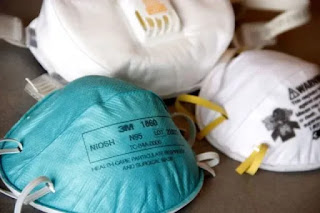
How to get N95 Masks in India - कैसे पाएं मास्क? Yellow, White, Blue or Black ?
कैसे पाएं मास्क? पीला, सफेद, नीला या काला? There are many colors of masks available in India of different colors. What is the difference ? W...
-
The differentiation between a dragon and a wyvern in Western mythology is that a dragon has six limbs (four legs and two wings) whereas a w...